apk.cafe
Best apps for your Android

Hi, There you can download APK file "TextScanner" for Android free, apk file version is 2.1.0 to download to your android device just click this button. It's easy and warranty. We provide only original apk files. If any of materials on this site violates your rights, report us

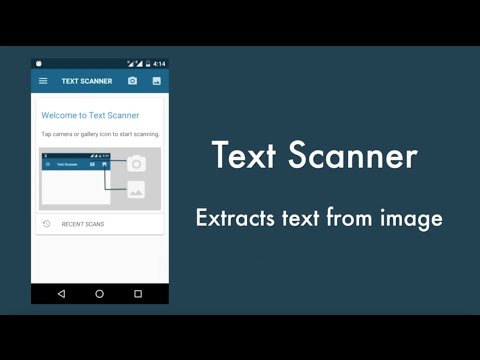
Screenshots of OCR Text Scanner : IMG to TEXT
  • OCR Text Scanner : IMG to TEXT
  • OCR Text Scanner : IMG to TEXT
  • OCR Text Scanner : IMG to TEXT
  • OCR Text Scanner : IMG to TEXT
  • OCR Text Scanner : IMG to TEXT
  • OCR Text Scanner : IMG to TEXT
  • OCR Text Scanner : IMG to TEXT
  • OCR Text Scanner : IMG to TEXT
  • OCR Text Scanner : IMG to TEXT
  • OCR Text Scanner : IMG to TEXT
  • OCR Text Scanner : IMG to TEXT
  • OCR Text Scanner : IMG to TEXT
  • OCR Text Scanner : IMG to TEXT
  • OCR Text Scanner : IMG to TEXT
  • OCR Text Scanner : IMG to TEXT
  • OCR Text Scanner : IMG to TEXT
  • OCR Text Scanner : IMG to TEXT
  • OCR Text Scanner : IMG to TEXT
  • OCR Text Scanner : IMG to TEXT
  • OCR Text Scanner : IMG to TEXT
  • OCR Text Scanner : IMG to TEXT
  • OCR Text Scanner : IMG to TEXT
Description of OCR Text Scanner : IMG to TEXT (from google play)

OCR Image To Text Scanner: It's a Must Have For Extracting Words from Images

Convert your device into a superb word recognition device with the OCR Image To Text Scanner. This device is perfect at extracting words from images, translating needed words, and even saving it for any future use. This OCR Text Scanner: Picture To Text tool is perfect for students, professionals, and anyone who needs quick and accurate extraction with its support for 92 languages and more advanced features. With Scan To Text: OCR Scanner App, there is no need for manual typing. Embrace efficiency!

📄 OCR Image To Text Scanner Key Features: 📄
🔍 Extract Words On Image with 99%+ accuracy OS speed records;
🌍 Translate in more than 100 languages in a matter of seconds;
📋 Copy - Words on Screen option for continuous use;
✂️ Before OCR, crop and enhance images for better recognition;
📝 Effortlessly Edit & Share the results of OCR;
📚 Scan history to watch what and when you have extracted;
🌐 Recognize images in 92 different languages;
📞 Automatically extract phone numbers, email and URLs;
📷 Batch process from several images with one operation;
📄 Import PDS documents and extract words from them.

Make Your Life Easier. Get Ready to Scan Picture To Text!

The OCR Image To Text Scanner feature aims to make your life simpler. Be it printed papers, photos, or screenshots, this OCR Tool: Scan Text ensures that your work is perfectly accurate everytime. With its feature rich interface and ease of use, it is the one and only Scan To Text OCR Scanner App you need for all your word extraction requirements.

Multi-Language Support: 🌍
This powerful tool can process 92 languages ranging from English, Spanish, Chinese, Arabic, and more. This makes it a very versaile OCR Text Scanner: Picture To Text tool for global users. Whether you are traveling, studying, or working with documents in different languages, this OCR Tool Scan Text will help you out.

Efficient Text Extraction: 🔍
The Scan To Text OCR Scanner App, provides features to allow you to extract words within seconds. Just point and shoot, or upload pictures and the OCR Image To Text Scanner will do the rest. You can also crop and enhance images to get higher recognition accuracy, this makes it the ultimate OCR Text Scanner: Picture To Text solution for all types of documents.

Edit And Share With Ease: 📝
After extracting, you can either edit the words directly in the app or share it with anyone you want. The OCR Tool: Scan Text ensures results are ready to use in seconds. Copying, translating, or saving is simple with the Scan To Text: OCR Scanner App.

Batch Scanning and PDF Support: 📷
Uploading several images or a PDF does not need to be a challenge when extracting necessary words. The OCR Image To Text Scanner features batch scanning and imported PDF’s, making this OCR Text Scanner: Picture To Text tool effective for large document volumes. This advanced OCR Tool: Scan Text feature saves time and effort.

Experience the Power of OCR Image To Text Scanner Today!

Why waste precious time typing words from images? Simply download the OCR Image To Text Scanner now and have accurate, fast, and efficient word extraction. No matter if you are studying, working, or using it for personal endeavors, this Scan To Text: OCR Scanner App is perfect. Try it today and enjoy the difference!

Disclaimer: The app doesn't work with handwritten text.

What's new in OCR Text Scanner : IMG to TEXT
New in TextScanner 2.1.0
v2.1.0
1. Batch scan on images.
2. Multi column selection option improvement.
3. Bug fixes and performance improvement.
Please rate this app

OCR Text Scanner : IMG to TEXT Version History: APK Size & Android Support

Explore the version history of OCR Text Scanner : IMG to TEXT for Android and see how the app has evolved over time. This section tracks versions added to the apkcafe.in catalog, including download size, declared permissions, and Android compatibility. Select a time period or a point on a chart to explore historical version data.

OCR Text Scanner : IMG to TEXT Catalog Statistics

OCR Text Scanner : IMG to TEXT Versions Added by Year

20261 version added
New versions in the catalog

1 new OCR Text Scanner : IMG to TEXT version was added to the apkcafe.in catalog in 2026. The catalog contains 43 versions dating back to July 2017.

OCR Text Scanner : IMG to TEXT Download Size History

2.1.0Sep 5, 202644.61 MB APKS: 32.73 MB base + 11.88 MB split parts
APKAPKS (split APK)

The OCR Text Scanner : IMG to TEXT download size for most phones increased from 12.67 MB in version 1.6.7 (2017) to 44.61 MB in version 2.1.0, a 252% increase. 2 of 43 versions in the catalog are APKS (split APK), starting with version 1.1 (February 2025).

OCR Text Scanner : IMG to TEXT Permissions History

2.1.0Sep 5, 202614 permissions
Permissions declared by the version

OCR Text Scanner : IMG to TEXT 2.1.0 declares 14 permissions, 8 more than version 1.6.7 from 2017 (6).

OCR Text Scanner : IMG to TEXT Android Compatibility History

2.1.0Sep 5, 2026Android 6.0+, built for 14
Requires (minimum Android)Built for (target Android)

OCR Text Scanner : IMG to TEXT 2.1.0 requires Android 6.0 or newer and is built for Android 14; version 1.6.7 from 2017 ran on Android 4.0 or newer.

Older versions of OCR Text Scanner : IMG to TEXT. The apkcafe.in catalog has 43 versions of OCR Text Scanner : IMG to TEXT, from 1.6.7 (Jul 2017) to OCR Text Scanner : IMG to TEXT 2.1.0 (Sep 5, 2026). If the latest version has a bug, changed something you rely on or does not work on your phone, you can install an earlier one from the list of older OCR Text Scanner : IMG to TEXT APK versions below.

Version 2.1.0 needs Android 6.0 or newer. On older phones: Android 5.0 runs up to version 2.2.2 (Nov 2022), Android 4.2 runs up to version 2.1.6 (Nov 2021).

Android does not install an older version over a newer one, so uninstall OCR Text Scanner : IMG to TEXT first. This usually deletes the app's data on the phone, so back up anything you need.

Dates show when each version was added to the apkcafe.in catalog. Size is the full download for most phones (APK and split parts); permissions are for the same build.

More info
Advertisement
TextScanner Older APK Versions for Android
Similar apps
Popular android apps